What ADA website compliance costs
Updated . A 12 minute read.
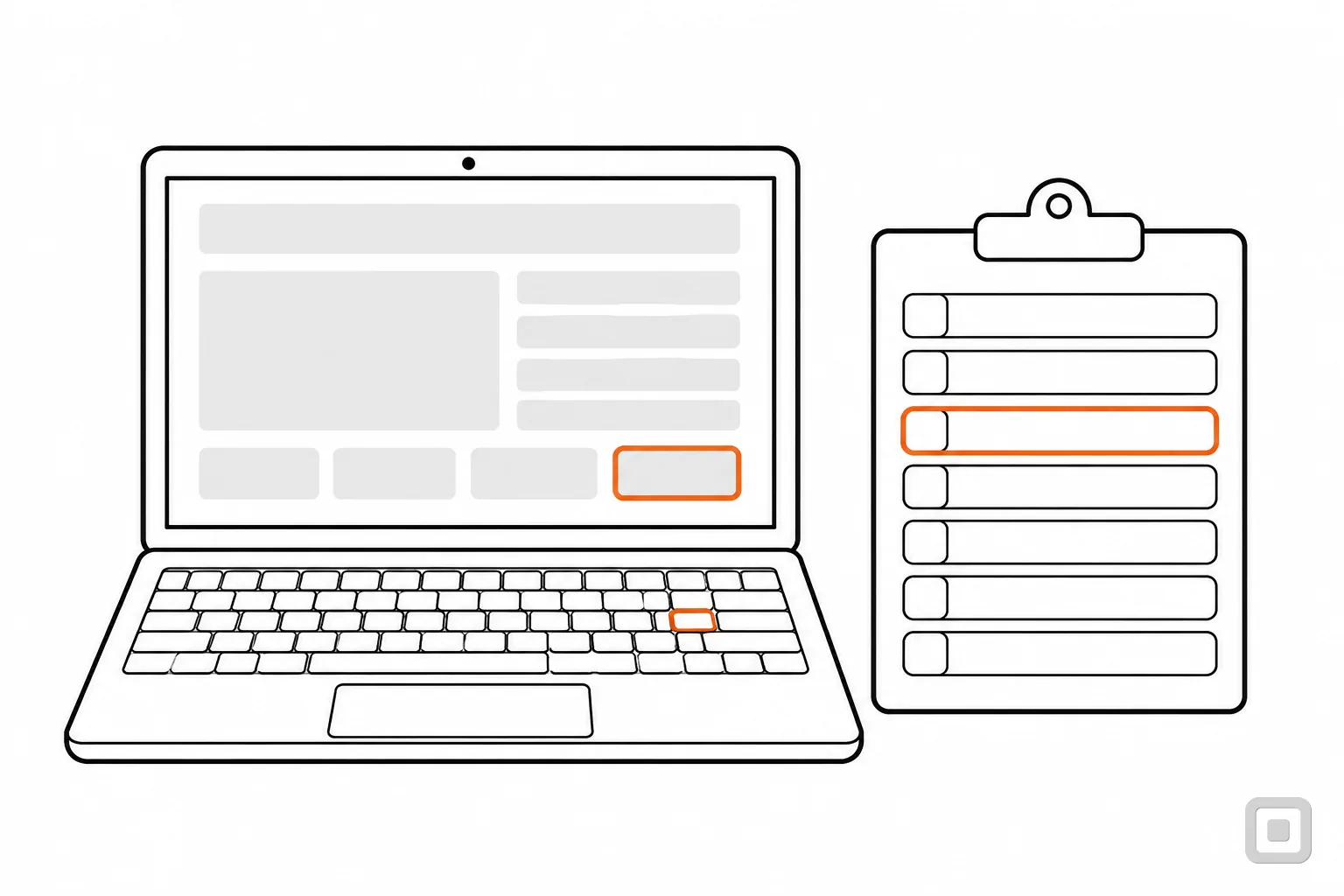
Two quotes for the same site, line by line. Both are called an accessibility audit.
Quote A: an automated scan
- Pages
- Every page the crawler can reach.
- Method
- Software rules run against the code.
- Finds
- Missing alt attributes, low contrast, empty links and buttons, unlabelled fields.
- Cannot judge
- Keyboard traps, focus order, whether alt text makes sense, how a screen reader copes.
- Fixes
- Not included.
- Retest
- Run the scan again.
Quote B: a manual audit with retest
- Pages
- A listed sample of templates, plus every step of booking.
- Method
- A person with a keyboard, a screen reader and the source code.
- Finds
- What the scan finds, plus what only a person can judge.
- Report
- Each failure with its page, its WCAG criterion number and the change to make.
- Fixes
- Made by your developer, or quoted as a second job.
- Retest
- The auditor checks each fix and updates the report.
The second is far more work than the first, and the price follows the work. Most of this guide is about what sits on each of those lines.
Why there is no honest price list
There is no official price for an accessible website, because the law draws no finish line to price. For businesses, the Department of Justice has no web regulation with detailed standards: it says they have flexibility in how they comply and points to WCAG as helpful guidance, and no one issues a certificate at the end. So the cost is whatever it takes to make your pages meet WCAG, and that depends on your pages. The price lists online come from firms that sell the work, and each counts it a different way. We publish no figures of our own; what we can show you is what moves the size of the job.
The one public estimate is about governments
When the Department of Justice wrote its 2024 web rule for state and local governments, it had to estimate the cost. It counted 109,893 government websites and 8,805 government apps, and costed the work in parts: learning the rule, then testing, fixing and maintaining websites and apps, and fixing course content in schools and colleges, with both staff time and software in the fix.
For all those governments together it put the cost at $3.3 billion a year over ten years (at a 3 percent discount rate; $3.5 billion at 7 percent, in 2022 dollars), and found that for each type and size of government the cost generally stays below 1 percent of revenue. It is an estimate for governments as a group, from the rule in the Federal Register, not a quote for any one website.
What the work is made of
Every quote, whoever writes it, is some mix of four parts. Many quotes cover only the first, so check which parts a figure includes before you compare it with another.
- Find
- An audit: someone tests a sample of your pages against WCAG and writes down each failure.
- Fix
- Changes to templates, content, media and documents, made in your source, not by a widget.
- Prove
- A retest of the fixes, an accessibility statement, and an ACR if a buyer asks for one.
- Keep
- Checking each new page, file and video as it goes up, and a fresh audit after a redesign.
The order matters. A fix made before the audit is guesswork, and a fix nobody retests is a hope. The whole sequence, step by step, is in how to make a website ADA compliant.
Seven things that move the size of the job
Page count is the number most quotes ask for, and it is the least telling. These seven move the work more.
Templates, more than pages
An auditor tests each kind of page once, and a fix made in a template reaches every page built on it. A large shop built from a few templates can be less work than a small site where every page was laid out by hand.
Keep it down. List your templates before you ask for quotes, and fix in the template, never page by page.
The platform and the theme
The theme decides your headings, menus, focus styles and colours. On a hosted builder some fixes can only be made by the theme or platform maker. WordPress's “accessibility-ready” tag does not mean a theme meets WCAG Level AA; it means the theme meets the minimum the Themes Team set.
Keep it down. If a redesign is due anyway, choosing a sound theme first is often cheaper than repairing the old one. Our WordPress plugins and themes comparison shows what to look for, and there is one for Shopify themes too.
Forms, booking and checkout
WCAG treats a process as one unit: when a page is one step of a booking or a checkout, every step has to conform for any of them to. These are the pages with the most code and the most at stake.
Keep it down. Fewer fields and fewer steps are fewer things to test. Our guide to ADA compliant forms covers the fixes that come up most.
Video and audio
Prerecorded video needs captions at Level A and audio description at Level AA, unless the soundtrack already says what the picture shows. W3C says automatic captions do not meet the requirement unless they are confirmed fully accurate.
Keep it down. Fix the videos people actually watch first, and script new ones so the speaker says what is on screen. See video caption requirements.
PDFs and other documents
Each document is its own job: tags, reading order, alt text, tables and form fields, checked one file at a time. Scanned pages and long tables take the longest.
Keep it down. Put what changes often on a web page instead, and fix the source file before export. What is PDF remediation sets out what drives a document quote.
Third-party tools
A booking engine, chat window, map or payment page sits on your site but runs someone else's code. You can test it; only its maker can fix it. Some makers publish an Accessibility Conformance Report: Shopify, for one, publishes one for its Checkout.
Keep it down. Ask each supplier for its ACR before the audit. If a tool fails and its maker will not fix it, the fix may be a different supplier.
Where you start
A site with many failures takes longer to report and longer to fix. Starting from zero is common: WebAIM, a non-profit, found detectable WCAG failures on 95.9% of the top million home pages in its 2026 scan.
Keep it down. Run the free checks yourself first, starting with the ADA website checklist, so the paid hours go on what only an expert can judge.
Estimate your own effort, in words
Answer nine questions about your site and the estimator reads back how heavy each part of the work is likely to be, and which answers weigh most. It gives words, not dollars: use it to see where a quote should be spending its hours, then check that it is.
Pre-filled for a dental practice with online booking on a WordPress theme. Change the answers for your site.
Relative effort for these answers
- Find. Testing and the audit report
- Moderate
- Fix. Changing templates, content, media and files
- Moderate
- Prove. Retesting, and an ACR if a buyer asks
- Light
- Keep. Checking new pages, files and videos as they go up
- Moderate
What weighs most in your answers
- A booking or checkout process: every step has to work for the whole process to conform.
- Six or more templates: each one is tested and fixed on its own.
- A bought theme plus plugins: each plugin brings its own markup to test and fix.
The words are our house judgement for a small business site, not a price, a quote or a WCAG rule. Who makes the fixes changes who carries the effort, not its size.
Audit depth: a scan, an expert, or real users
The biggest single choice in a quote is how deep the testing goes. Each level finds more than the one before and takes more hours.
- An automated scan reads your code against a set of rules. It is fast and catches the common machine-detectable failures, but it cannot judge meaning or use.
- A manual audit is an expert working through a sample of pages with a keyboard, a screen reader and the source. W3C's evaluation method, WCAG-EM 2.0, builds that sample from common pages, key tasks and each type of content, then adds a random set worth 10% of it.
- Testing with disabled users adds sessions with people who use assistive technology every day. W3C's guidance on involving users in evaluation says involving people with disabilities can be more effective and yield better results. It takes the most arranging; a small site can keep it for one key task, such as booking.
What W3C says about tools
Tools cannot check all accessibility aspects automatically. Human judgement is required.
From W3C's guide to selecting evaluation tools.
A quote priced like a scan is a scan, whatever it is called. What a good finding looks like, and how an auditor should pick the sample, are set out in WCAG audit services compared.
Who makes the fixes: you, your developer or an agency
An audit is a list. Most of the effort is in the fixing, and who does it changes how you pay, not how much work there is.
- In house. Content fixes, such as alt text, headings, link wording and captions, are often within reach of whoever writes the pages. The cost is staff time and learning.
- The developer who built the site. Template, menu, form and focus fixes are code. The person who wrote the code fixes it fastest, so ask them first.
- An agency. Useful when nobody in house can touch the code, or the backlog is large. Ask whether the auditor and the fixer are the same firm, and who retests.
A widget is not a cheaper fix
An overlay is a third-party widget or toolbar script sold as making a site conform without changing its source. The FTC alleged that one overlay maker, accessiBe, claimed its accessWidget plug-in could make any website WCAG-compliant when it did not, and the order bars that claim without competent and reliable evidence. The fixes still have to be made in your code; our guide to accessibility overlays explains why.
The cheapest fix is the one made while the work is being done anyway. W3C's business case for accessibility cites a Forrester study, commissioned by Microsoft, which concluded that accessibility could contribute to cost savings when it is built into existing and ongoing development. If a redesign is already planned, put WCAG 2.2 Level AA in its brief.
The costs that come back every year
Accessibility is not bought once. DOJ's own estimate for governments carries a yearly operating and maintenance cost after the first fixes, and the same holds for a business site.
- New content. Every new page, product photo, PDF and video can bring a new failure. Training whoever publishes, and a short check before each goes live, cost less than finding them in next year's audit.
- Monitoring. A scanner on a schedule catches regressions between audits. The options are in website accessibility software for small business.
- Your statement. W3C advises that an accessibility statement's date should ideally not be more than a year old. Our accessibility statement generator makes the yearly update a few minutes' work.
- A redesign or a platform change. A new theme is a new site as far as an audit is concerned: budget a fresh audit and retest when one ships.
If you sell to government: the ACR
A business that sells software or online services to government has one more line on the bill. GSA's Section508.gov recommends that vendors selling to the federal government publish an Accessibility Conformance Report (ACR), a completed VPAT. Under the Title II web rule, a city's page must meet WCAG 2.1 Level AA even if a private company made it or runs it, so state and local buyers may ask for one too.
An ACR answers every criterion at the level it covers, with a remark, so it rests on a full test of the product. Nobody approves it: ITI, which publishes the template, does not review or approve reports. What goes in one is in what is a VPAT; you can draft your own with our VPAT template, or have a firm write it for you.
Get quotes you can compare
Two quotes only compare if they price the same scope. Send every firm the same five lines:
- The URLs of one page per template, and the steps of every process (booking, checkout, sign-up).
- The platform, the theme and every plugin or embedded tool, with links to any ACR their makers publish.
- How many videos and documents are in scope, and which ones people actually use.
- The target, in writing: WCAG 2.2 Level AA, or WCAG 2.1 Level AA if a government contract names it.
- What you want back: findings by page and criterion number, a retest after fixes, and help with a statement.
Then ask each firm the same questions about method, report and retest. Rather than repeat them here, use the nine questions to send before you sign on our audit services comparison; for documents, the PDF remediation quote questions.
A tax credit worth asking about
The IRS disabled access credit (Form 8826) lets an eligible small business, one with gross receipts of no more than $1 million or no more than 30 full-time employees in the previous tax year, claim half of its eligible access spending above $250, up to a credit of $5,000 a year. The form's list of eligible spending was written for the ADA of 1990 and does not mention websites, so ask your tax adviser whether your accessibility work counts. The form is on the IRS Form 8826 page.
What not doing it can cost
The other side of the ledger is what a complaint costs. Under Title III of the ADA, a private person can sue for an order to fix the barrier, not for money damages; in the federal statute, damages come only in a suit brought by the Attorney General, which can also ask for a civil penalty (42 U.S.C. 12188). But the court may award the winning side a reasonable attorney's fee and costs, so a business that loses can pay the other side's lawyers as well as its own, and still has to make the fixes.
Some states add their own remedies. California's civil rights agency lists statutory damages under the Unruh Act, and says courts have applied it to websites of businesses with physical locations. Many claims start as a demand letter; the demand letter response checklist lists what to do first, and ADA website lawsuits shows who is sued and where.
Not legal advice
This page says what the statutes and agencies say. This is general information, not legal advice. For your own situation, including what to do about a letter, ask a lawyer.
Related
- WCAG audit services comparedWho audits a small-business site by hand against WCAG 2.1 or 2.2 AA, verdict by use case.
- How to make a website ADA compliant9 min read
- ADA website checklist for small business41 plain tests by page part, from the menu to the footer, with the WCAG criteria each answers.
- Accessibility overlays: what they do and what they don't8 min read
- What is PDF remediation8 min read